Fuel Systems
Manage tank capacity, fuel consumption and refuelling to make every pit stop count.



Lap timing, race management and custom race displays for your analogue slotcar track.
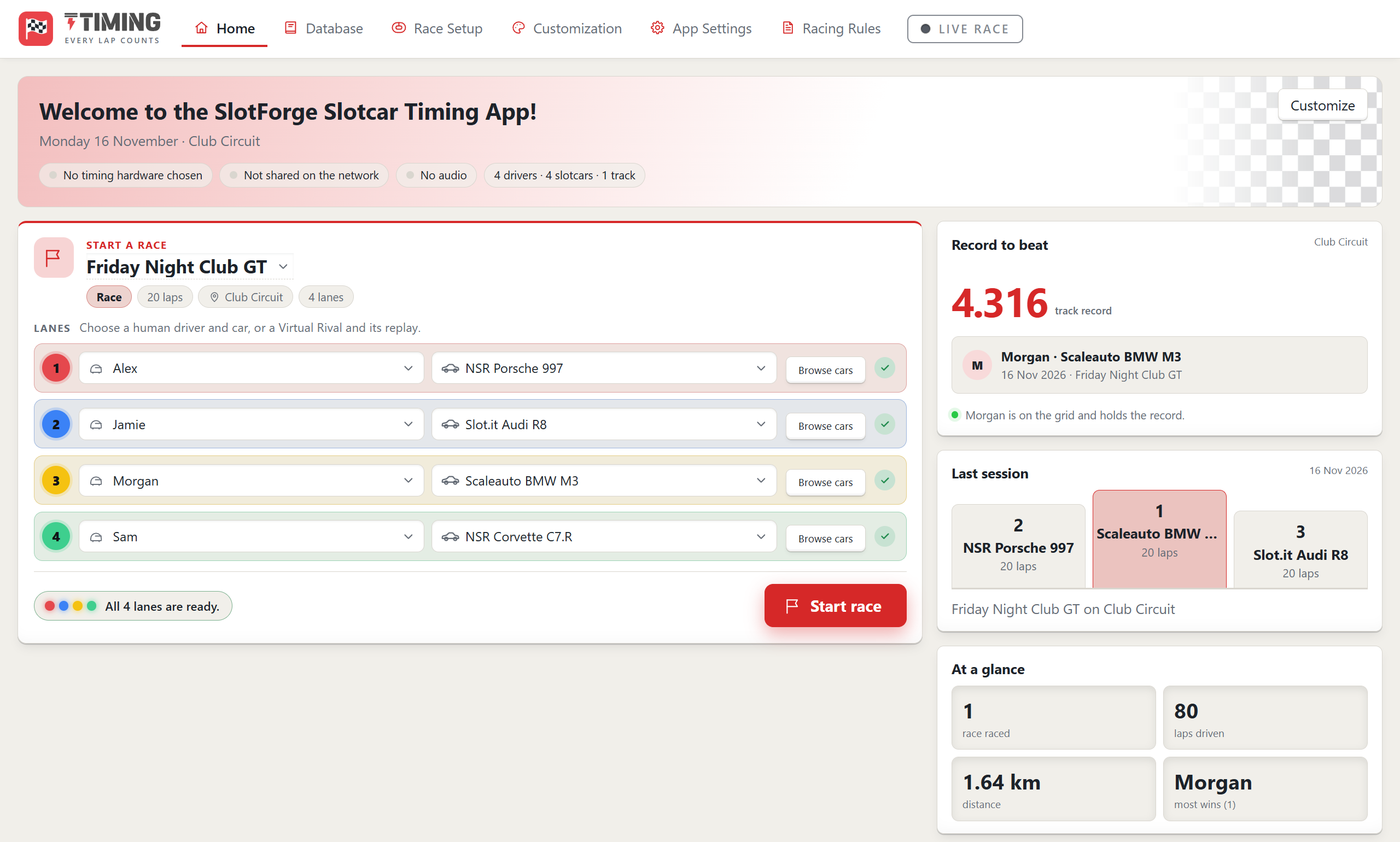
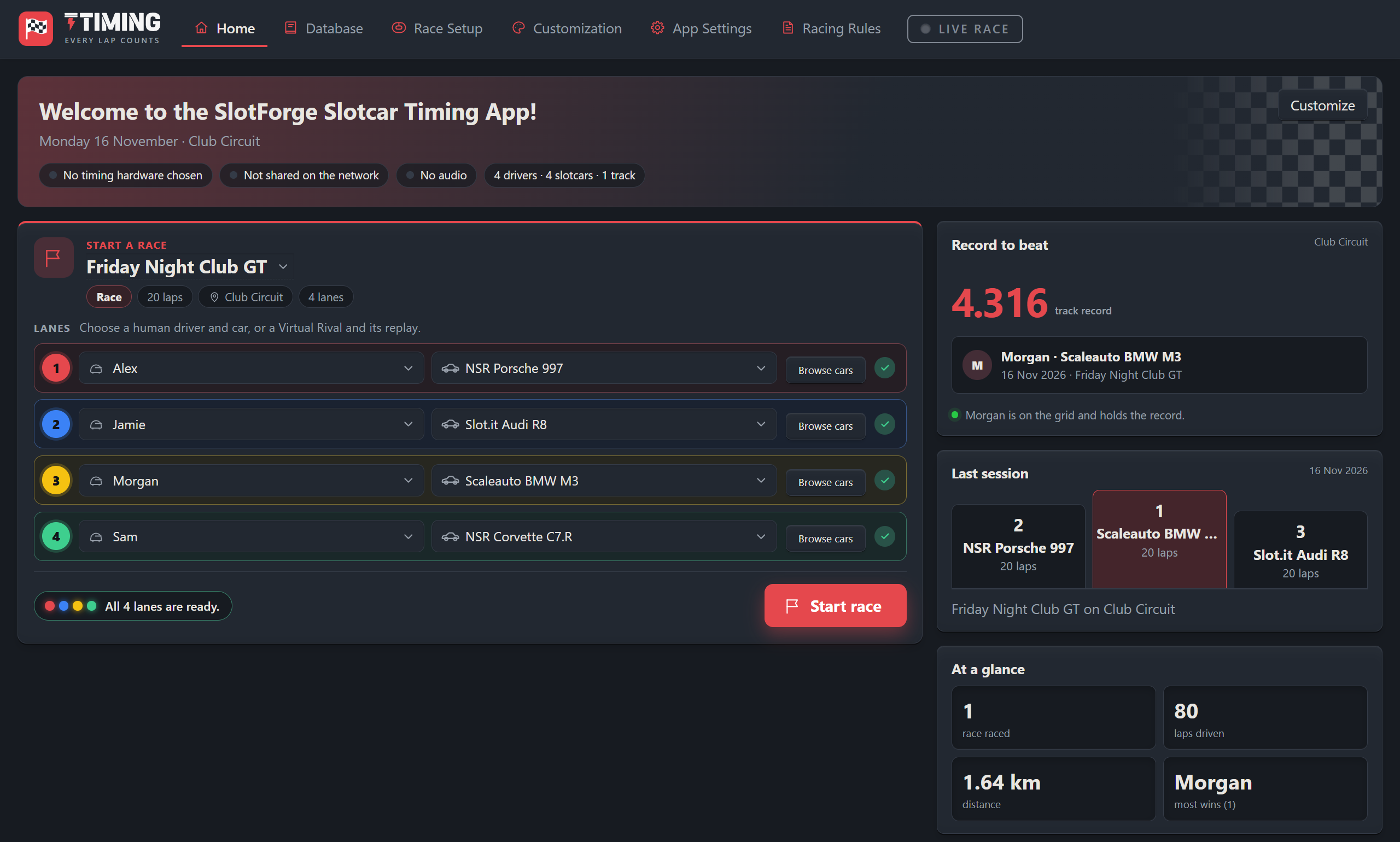
Practice, qualifying, heats, championships and team endurance—with optional fuel, tyres, weather and pit strategy.
Create layouts, widgets, leaderboards and charts for your desk, second display or club TV.
Send another racer your layouts, widgets, audio and image sets, or bundle designs into a Content Pack. How sharing works →
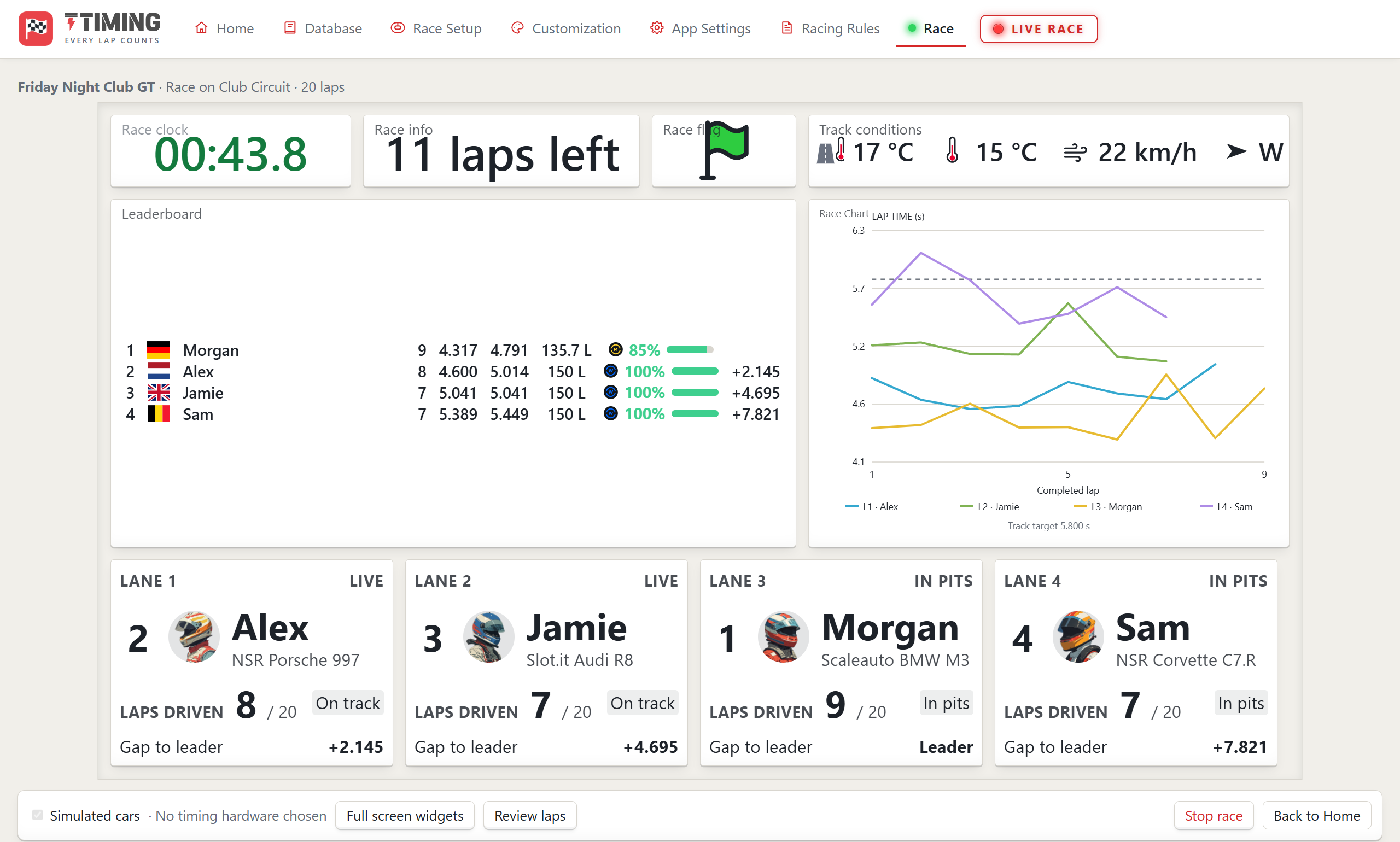
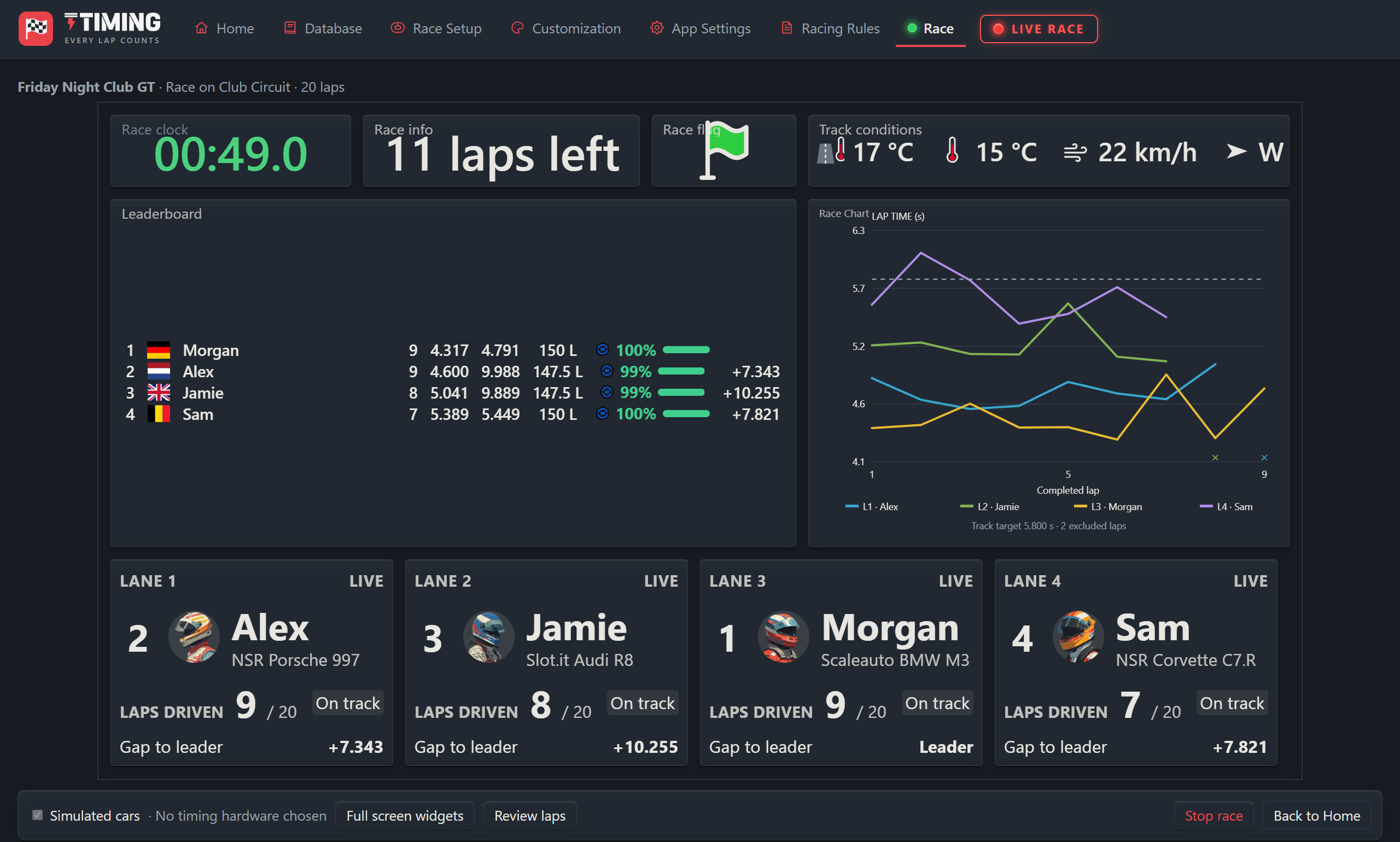
A four-lane race in full swing: race clock, laps to go, track conditions, a live leaderboard with fuel and tyres, and a lap-time chart.
Add strategy, changing conditions and new ways to compete. Choose the systems and setups that suit your race night.
Manage tank capacity, fuel consumption and refuelling to make every pit stop count.
Set penalty points, escalating consequences, time additions and forced pit stops.
Add damage and car failures, with repairs, race effects and retirement rules.
Control yellow-flag pace, speeding penalties and optional random safety-car periods.
Choose compounds, wear, tyre changes and optional temperature and warm-up effects.
Bring changing conditions, tyre suitability and weather effects into your race.
Push harder at a resource cost, or conserve fuel and tyres with a gentler pace.
Plan heats and lane rotations so every driver or team gets their turn.
Connect rounds with points, bonuses, dropped results, team standings and tie-breaks.
Balance cars through fuel use, refuelling speed and tank capacity. Requires a Fuel System.
Give each lane an allowance of track time, with adjustments and expiry warnings.
Race against replay opponents built from saved lap sequences.
Race different car classes together or in class heats, with overall and class results.
Allocate tyre sets, repair credits and replacement parts across races or championships.
Available combinations depend on the session format. Fuel, tyres, damage and weather are simulated; physical track control depends on your hardware.
Choose a topic. Open a feature to see how it works.
From a few practice laps to a full championship.
Get familiar with the track, set a benchmark and prepare the grid before the race.
Choose the finish rule, start-light sequence and first-lap behaviour for your event.
Create reusable rotation plans, move drivers or teams through lanes and combine the results.
Link rounds with rosters, points tables, bonuses, dropped results, teams and tie-breaks.
Run teams with swap windows, minimum driving requirements, stint records and swap penalties.
Keep overall and class classifications, or give each lane a timed-use allowance with expiry warnings.
Make fuel, tyres and changing conditions part of the competition.
Set tank sizes, consumption, refuelling speeds and the consequences of an empty tank.
Choose compounds, lifespan, weather suitability, available sets, warnings and mandatory stops.
Simulate cold, working and hot tyres with compound-specific heating, cooling and wear effects.
Plan changing conditions, tyre suitability, wrong-tyre penalties and supported race effects.
Make faster laps consume more fuel or tyres, and slower laps conserve them using your chosen pace rules.
Configure supported damage events, their effects and the repairs or retirement required by your rules.
Set the rules, manage the pit lane and keep the event moving.
Create points tiers, named penalties, time additions, lap adjustments, forced stops and disqualification rules.
Set target pace, speeding penalties, pit-time changes and optional random flags with conditions.
Balance cars through fuel consumption, refuelling speed and optional tank capacity. Requires a Fuel System.
Limit tyre sets, repair credits and replacement supplies across a race, event or championship.
Combine fuel, tyre and repair work sequentially or in parallel, with timed or manual release.
Manage track calls and red-flag restarts, then review laps, disqualifications and the classification before saving.
Put the information you care about exactly where you want it.
Move, resize and layer widgets in separate layouts for the main screen and a second display.
Create reusable displays from values, labels, images, gauges, bars and conditional indicators.
Bring essential driver, timing or race information together without arranging every value separately.
Choose values, row widths, labels, colours and overall or supported class views for live and finished races.
Design lap trends, driver comparisons, delta trends, box plots, histograms, position histories and heatmaps.
Use state colours, lap flashes, record highlights, lane accents and horizontal, vertical or segmented resource bars.
Give race night its own identity and remember the results.
Build messages with supported driver names, lap times, positions, gaps and Race System status.
Combine recordings, effects and ambience with playback conditions, repeat limits and voice/mix options.
Use your own avatars, lights, tyres and weather artwork, then add a logo, header images and colours.
Celebrate results with podium cards, driver facts, comparison charts or a saved leaderboard design.
Keep records linked to drivers, cars and tracks. Red-flag-interrupted laps are excluded from records.
Review laps, distance, sessions, wins, fastest laps, last use and mileage or laps since servicing.
Connect hardware, extra screens and the people around the circuit.
Show live timing on a monitor or TV, or let devices on the same local network follow along in a browser.
Use password-protected director access for supported race controls, warnings and recent-event information.
Import supported Circuit lane routes and artwork. Car movement is estimated from lap timing, not continuous position sensing.
Connect to a Paddock Dealership, race cached car configurations and queue finalised results for delivery back.
Use supported Trackmate or Arduino interfaces and documented alternatives. DS-200/300 and Windows Parallel Port support have hardware-verification limits; see the guide.
Replay saved lap sequences as opponents, or explore with keyboard/manual controls and simulated inputs.
Exchange your creations, extend Timing and keep your work safe.
Export individual creations and related items. Other users import copies without exchanging their entire database.
Bundle supported screens, widgets, charts, leaderboards, image/audio sets, themes and Race System presets without writing code.
Export drivers, cars, tracks, teams, Race Systems, championships, leaderboard/chart designs and saved sessions.
Move or recover an installation with its database, artwork, sounds, settings and race history. Restoring replaces the current database.
Extend Timing with separately installed drivers, widgets, pages, tools and race rules. Run plugins only from authors you trust.
Explore grouped help, setup explanations, previews and worked examples of the rules behind the racing.
Try another word or choose a topic to keep exploring.
Race Systems are simulations; available combinations depend on the session format. Physical power and light control depend on the connected interface and relays.
Free, with no account or sign-up. Choose your operating system; downloads come directly from the official GitHub release.
v2.3.0 · Released 17 Nov 2026
Choose the installer for regular use, or the portable app to run it without installing. Keep the portable app in a permanent folder.
If Windows shows “Windows protected your PC”, choose More info and then Run anyway. This appears for new apps that are not yet widely downloaded.
Choose the build matching your Mac, open the DMG and drag the app to Applications.
If macOS says the app can’t be opened, open System Settings → Privacy & Security, scroll down and choose Open Anyway. You only need to do this once.
Choose a package matching your processor. Open the DEB with your package installer, or allow the AppImage to execute before opening it.
For an AppImage, allow it to run as a program first: right-click → Properties → Permissions, or chmod +x in a terminal.
Choose a package, follow the guide and make it yours.
Keep the app’s saved race data and settings backed up using its documented export and backup workflows. Share individual layouts and sets without exchanging the entire database.
Back up your data, close the app and follow the update instructions for your platform. Read the release notes before replacing an installation.
Installation and update guidance ↗Read the Timing documentation, or report your operating system, app version and the steps that caused the issue.
Report a Timing issue ↗