


SlotForge Circuit
Design it. Build it. Race it. Plan your next circuit before building it for real.
- Free
- v0.4.0
- Windows · macOS · Linux
- Also in your browser
From an idea to a circuit.
- TRACK DESIGN
Design your circuit
Arrange branded track pieces or create routed and FreeForm layouts.
- BUILD PLANNING
Plan the build
Check your space, compare lane lengths and count the pieces you need.
- EDITABLE LAYOUTS
Pass the layout around
Export an editable track or a reusable piece pack, then let another Circuit user build on your idea. How sharing works →
Take a look around Circuit
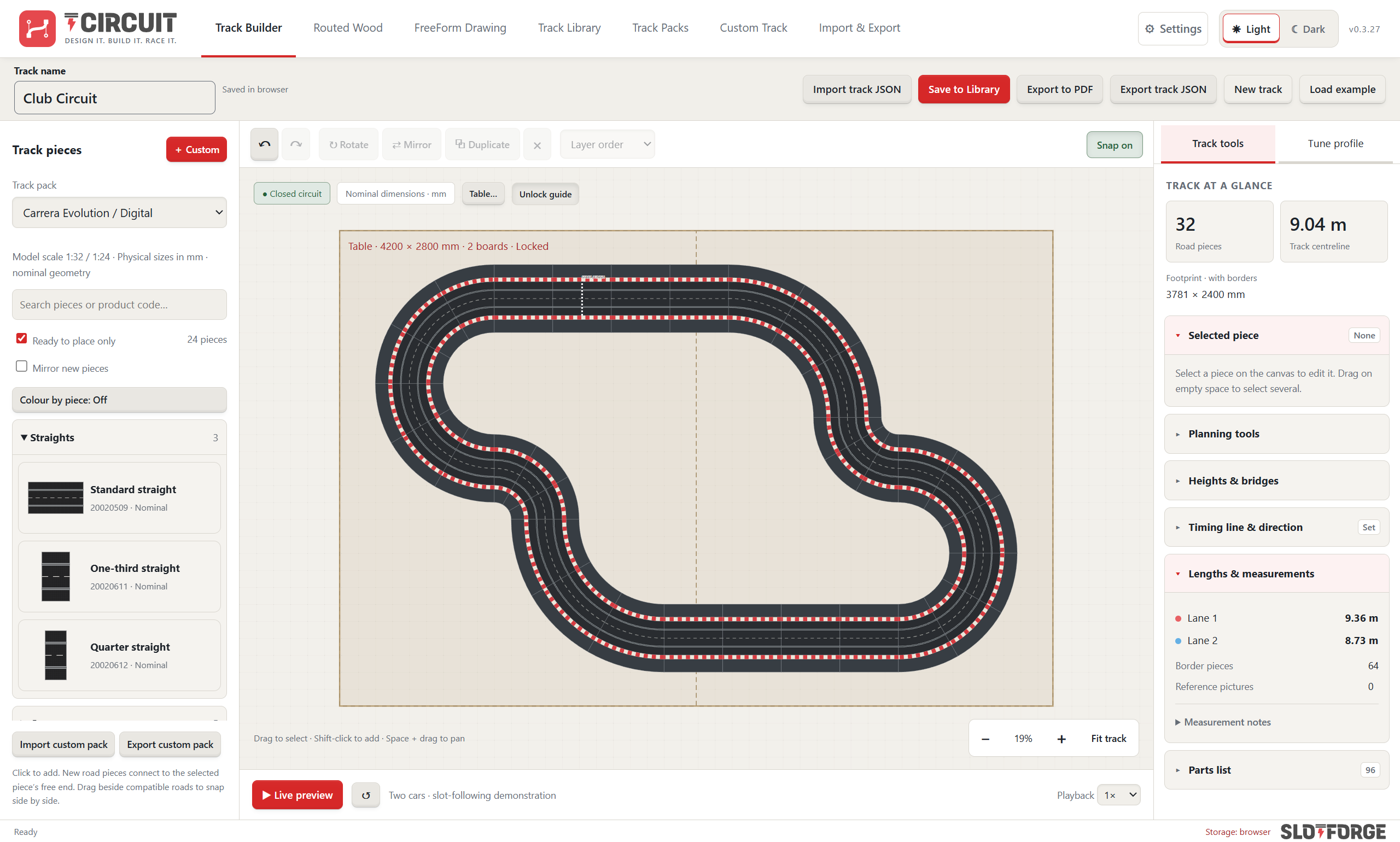
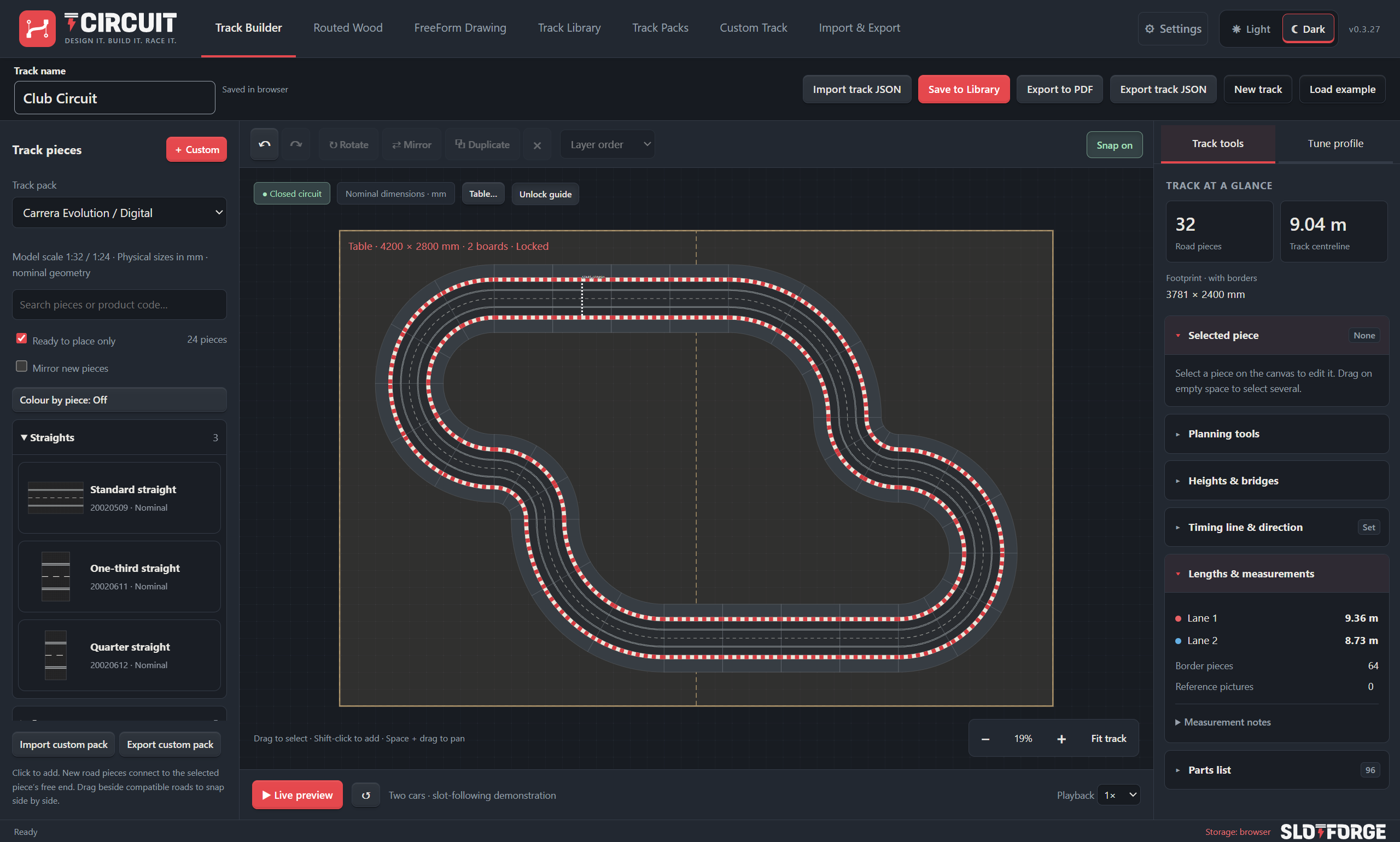
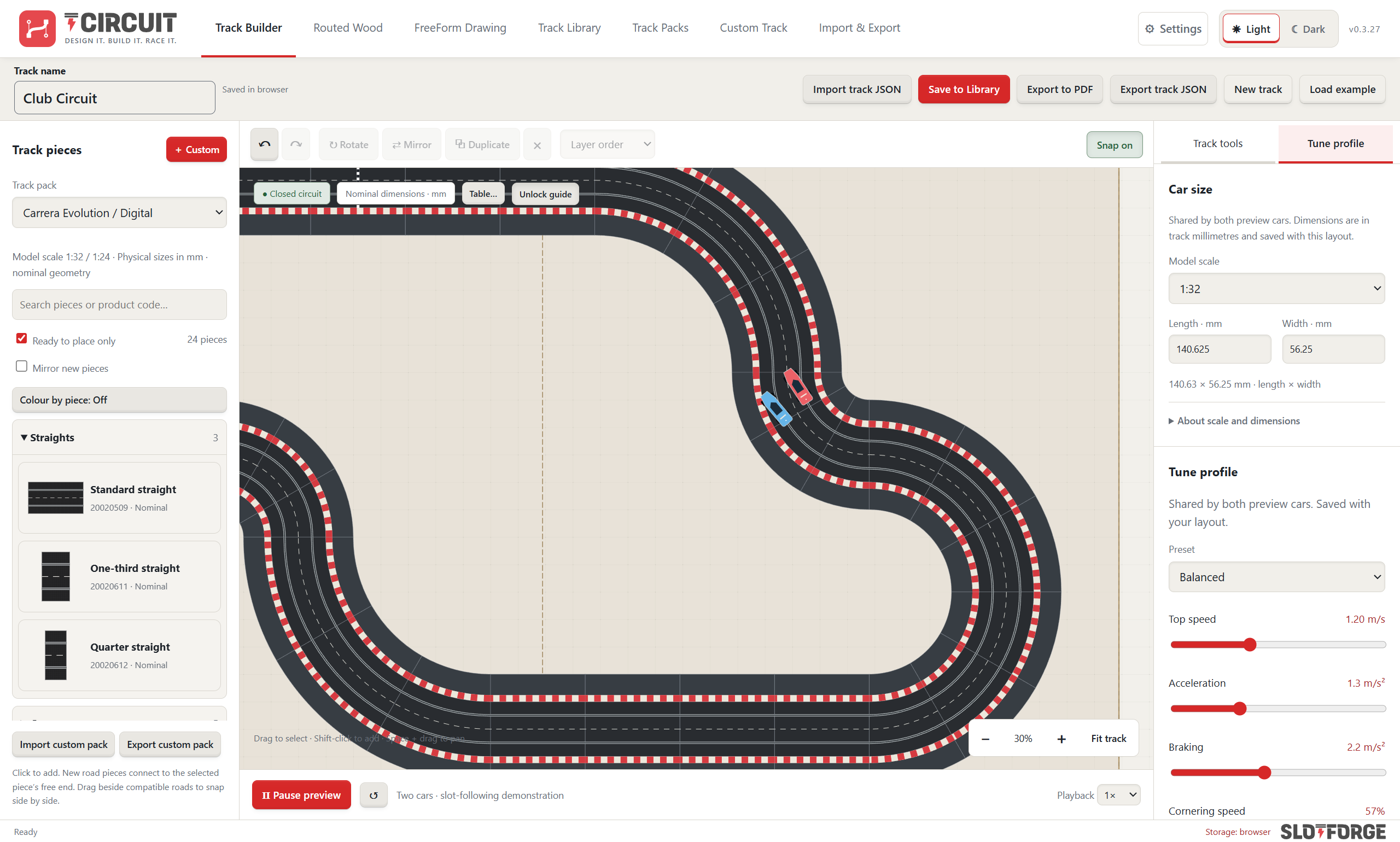
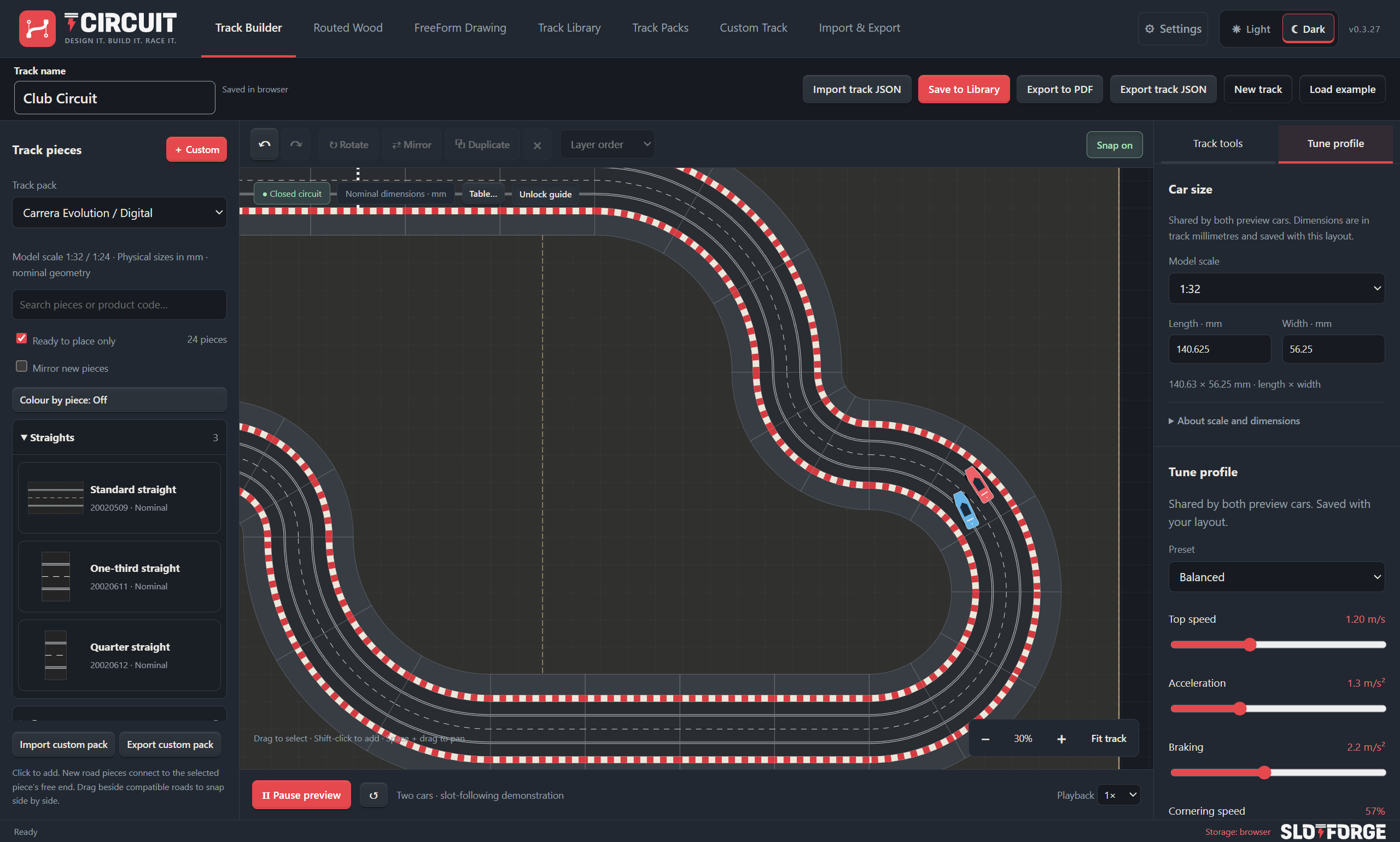
Lay out a multi-lane track piece by piece, with the parts list and track overview always in view.
What will you do with Circuit?
Choose a topic. Open a feature to see how it works.
Build with the pieces you own
Start with your track system, then make the layout your own.
Ten manufacturer packs
Browse Carrera, Scalextric, Policar, ScaleAuto, Ninco, SCX, AFX, Carrera GO!!!, Carrera Hybrid and Fleischmann packs. Exact and reference-only coverage varies by piece.
Magnetic connections
Snap track ends together, align parallel straights and nest matching curves for layouts with more than two lanes.
Arrange and experiment
Rotate, mirror, duplicate and select multiple pieces, with Undo/Redo while you try different layouts.
Borders and overlaps
Add matching borders and adjust the drawing order where roads cross or overlap.
Colour by piece
Give straight lengths and curve radii distinct catalogue and canvas colours, then return to the normal track artwork whenever you like.
Custom pieces and packs
Define straights, curves, borders and lane changers with your own road width, slot spacing, lane count and connector family.
Matching radius families
Create nested R1, R2, R3 and larger curves, with a preview of how the road radii and lane spacing fit together.
Measure, check and finish the layout
Check the space, close the gaps and work out what is missing.
Footprint and lane lengths
Check open ends, piece counts, the footprint including borders and nominal lane lengths where the geometry supports them.
Distances, angles and references
Measure the plan or trace a calibrated reference image. Save measurements with the design and include selected dimensions in its PDF report.
Stock and shopping lists
Compare required pieces with the quantities you own, then export a shopping CSV for what is missing.
Gap assistant
Search combinations of up to four catalogue pieces, preview a possible connection and add it to the layout.
Groups, locks and replacements
Move grouped pieces together, lock finished sections and preview compatible replacements anchored at either end.
Curvature and car clearance
Colour tight slot radii and inspect approximate car-overhang envelopes using car dimensions and an optional drift allowance.
Plastic lane squeeze and spread
Adjust spacing smoothly inside supported straights or corners while retaining normal end connections, then save a reusable custom variant.
Design your own routed track
Design the lanes, curves and construction details for a wooden track.
Sections or continuous tabletop
Design individual wooden pieces with their own outlines, or route a continuous layout within the table boundary.
Slot, braid and board dimensions
Set lane spacing, slot width and depth, board thickness, edge clearances and braid or tape dimensions.
Straights, circles and flowing curves
Combine straight sections, circular corners and Bézier bends with draggable handles, direction locks and exact coordinates.
Close the loop
Preview Fill closing gap, Bridge selected ends or Reshape to close, then adjust the connection or undo it.
Routed squeeze and spread
Bring lanes together or move them apart through a bend or straight, with smooth transitions back to normal spacing.
Materials and geometry checks
Inspect slot or conductor folds, overlaps and tight radii, with estimated slot and conductor lengths for supported geometry.
Draw freely with FreeForm
Draw the circuit you imagine, beyond a catalogue of fixed pieces.
Draw one lane, generate the others
Shape a continuous slot with Bézier curves, choose which lane it represents and generate the surrounding lanes at your chosen spacing.
Precise point editing
Insert points without changing the curve, move several anchors together, lock finished points and adjust curve handles.
Spacing across a stretch
Squeeze or spread lanes across several curves, choosing where the change peaks and how gradually it returns to normal.
Ramps and bridge heights
Distribute ramp heights across a stretch or set point heights and headroom for an upper passage.
Smooth joins and convert layouts
Preview smoother joins with anchors held in place, or convert a supported routed-section layout into an editable FreeForm approximation.
Save and keep refining
Save unfinished drawings, send completed designs to the builder and return to their editable points from the Track Library.
Plan the table and construction
Plan the boards beneath the circuit and prepare the build.
Available-space guides
Plan around a rectangular or L-shaped table, with cut-outs, dimensions and a locked position while arranging the circuit.
Table Designer
Arrange boards with dimensions, snapping, duplication, 90-degree rotation and locks, then inspect the combined surface and gaps.
Panel splits and transport sizes
Preview horizontal or vertical board splits and review seams against stock-sheet or transport constraints.
Stock-sheet planning
Arrange panels with margins, gaps and optional 90-degree rotation to estimate the sheets needed for a supported flat routed design.
Heights and headroom
Inspect deck thickness, bridge clearance and joined endpoint heights as part of the track plan.
Panel construction exports
Export numbered panel outlines and trimmed slots or braids in SVG/DXF packages, with an assembly PDF showing panel positions.
Preview, export and share
See your layout in motion, share it or take the plans to the workshop.
Live Preview
Watch two cars follow supported closed circuits, with illustrative acceleration, braking, cornering and drift settings.
Car dimensions and tune profiles
Choose a car-size preset or enter dimensions, then save a motion profile for the design.
Send a circuit to Timing
Export supported lane routes, artwork, timing-line information and tuning for Timing’s Live Track display.
Share editable tracks and packs
Exchange track or custom-pack JSON files so another user can open a design or add your reusable pieces.
PDF, PNG and parts lists
Export a layout report, a picture with optional transparency, or a CSV parts list for planning the physical build.
SVG and DXF geometry
Export supported construction paths, including full-size millimetre DXF and SVG scale options, for further work in CAD/CAM.
Keep your designs ready
Keep designs ready for another session, online or on your computer.
Track Library
Save named circuits, search your designs and reopen tracks or reusable custom packs for the next project.
Browser or installed workspace
Try Circuit online with storage in your browser, or use the desktop app, which saves on your computer.
Portable workspace backups
Export a workspace backup to move designs between computers or browser workspaces and protect them before clearing local data.
No matching features.
Try another word or choose a topic to keep exploring.
Dimensions and clearances are planning aids. Live Preview illustrates motion rather than predicting lap times. Construction exports still need your own CAD/CAM and cutter setup.
Get SlotForge Circuit.
Free, with no account or sign-up. Choose your operating system; downloads come directly from the official GitHub release.
v0.4.0 · Released 17 Nov 2026
Circuit for Windows
Choose the installer for regular use, or the portable app to run it without installing. Keep the portable app in a permanent folder.
First launch: seeing a warning?
If Windows shows “Windows protected your PC”, choose More info and then Run anyway. This appears for new apps that are not yet widely downloaded.
Circuit for macOS
Choose the build matching your Mac, open the DMG and drag the app to Applications.
First launch: seeing a warning?
If macOS says the app can’t be opened, open System Settings → Privacy & Security, scroll down and choose Open Anyway. You only need to do this once.
Circuit for Linux
Choose a package matching your processor. Open the DEB with your package installer, or allow the AppImage to execute before opening it.
First launch: seeing a warning?
For an AppImage, allow it to run as a program first: right-click → Properties → Permissions, or chmod +x in a terminal.
Getting started.
Choose a package, follow the guide and make it yours.
- Choose your downloadSelect an available package for your operating system and processor.
- Follow the installation guideUse the app’s platform-specific instructions for the first launch.
- Start your first projectChoose a track pack, Routed Wood or FreeForm Drawing and start a layout.
Before you get started.
Where are my files saved?
The desktop app saves on your computer. The online version saves in your browser. Export workspace backups to move or protect your designs.
How do I update the app?
Back up your data, close the app and follow the update instructions for your platform. Read the release notes before replacing an installation.
Installation and update guidance ↗Where can I get help or report a problem?
Read the Circuit documentation, or report your operating system, app version and the steps that caused the issue.
Report a Circuit issue ↗