NSR
November 20261,237 entries
- 1,199 parts
- 38 workshop supplies


A home for your slotcar collection, photographs, parts, setups and maintenance.
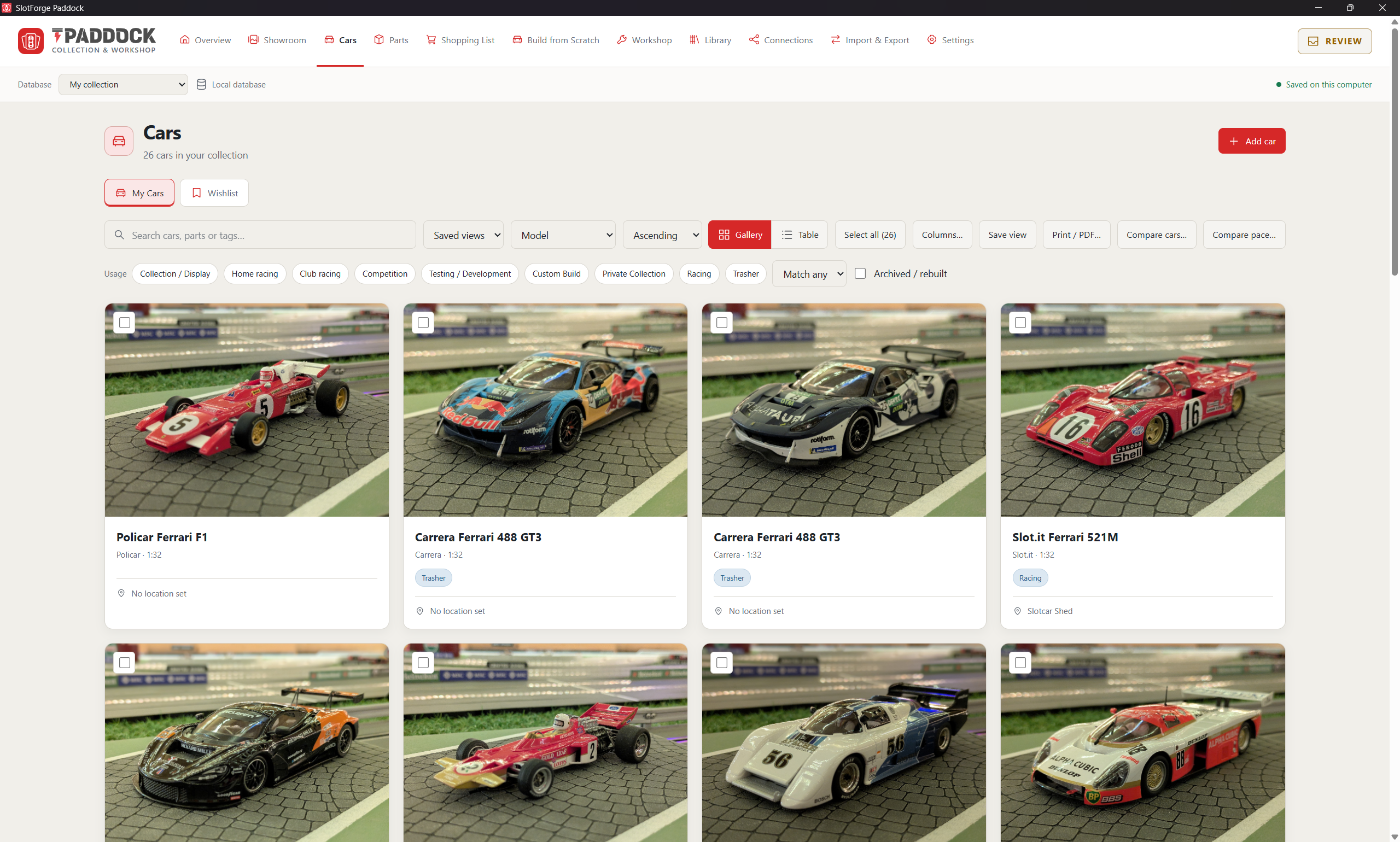
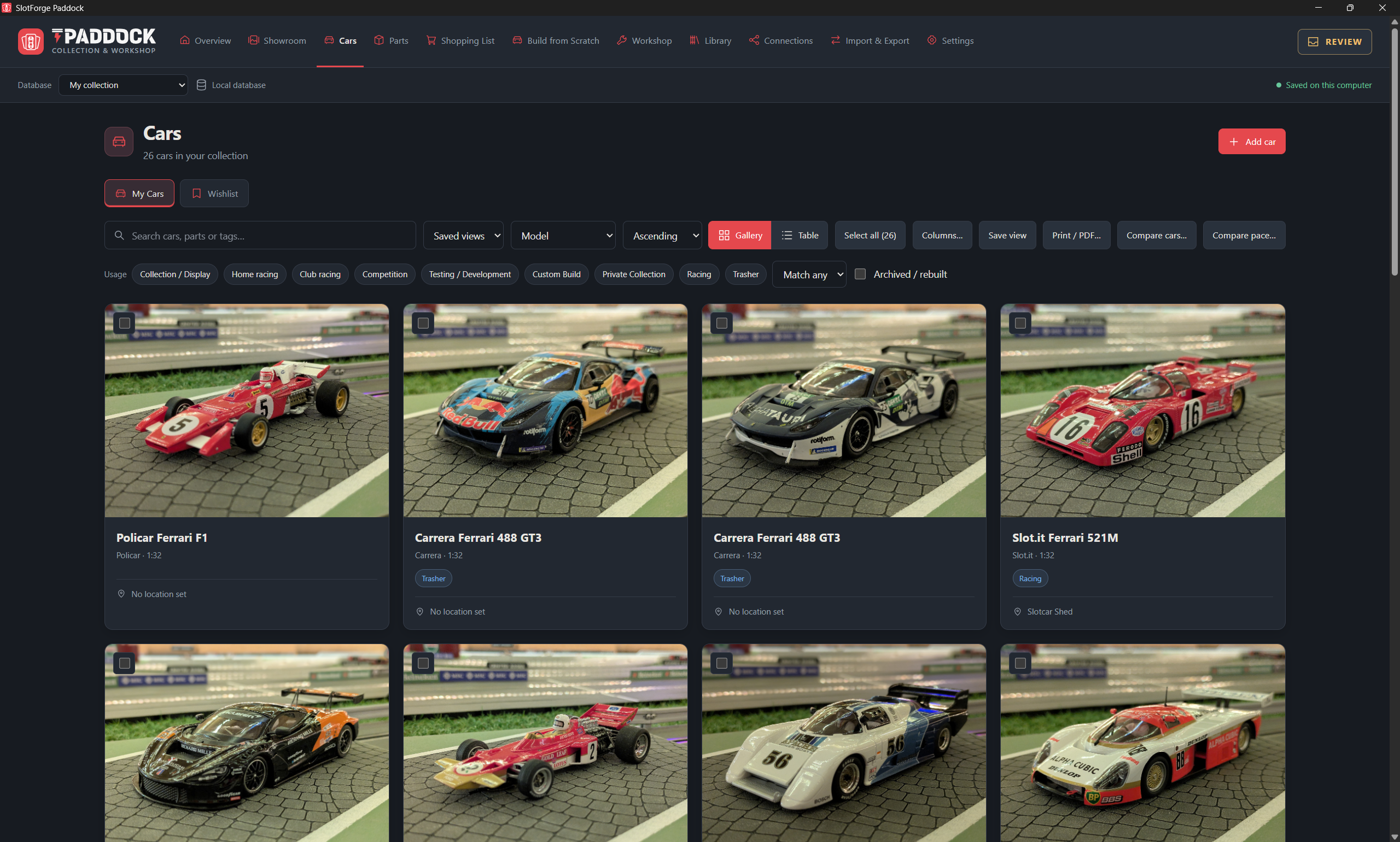
Browse your cars and photographs in a dedicated showroom.
Organise parts, setups and maintenance work.
Send selected cars with photographs and optional setups. Another collector can review and add them to Paddock. How sharing works →
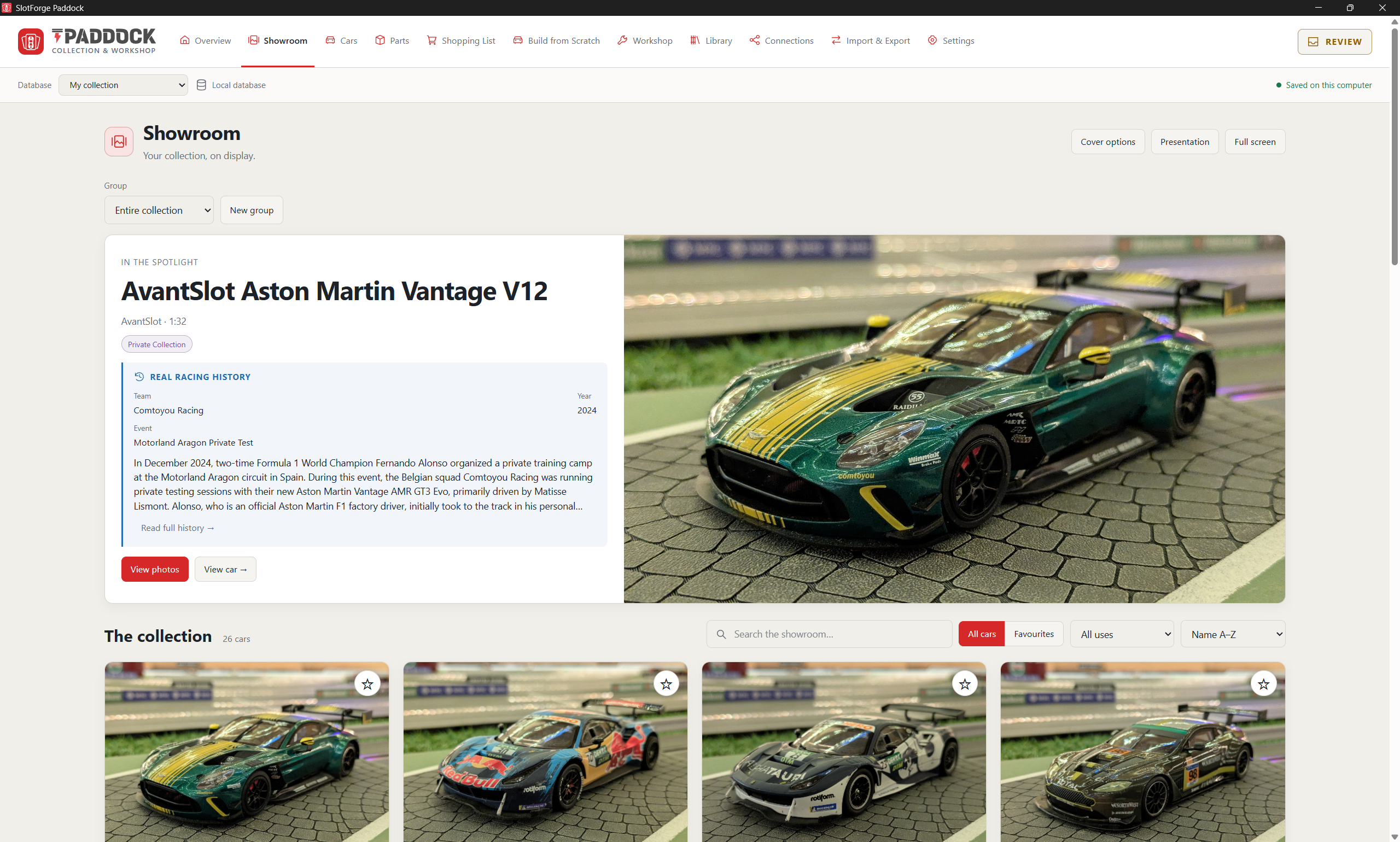
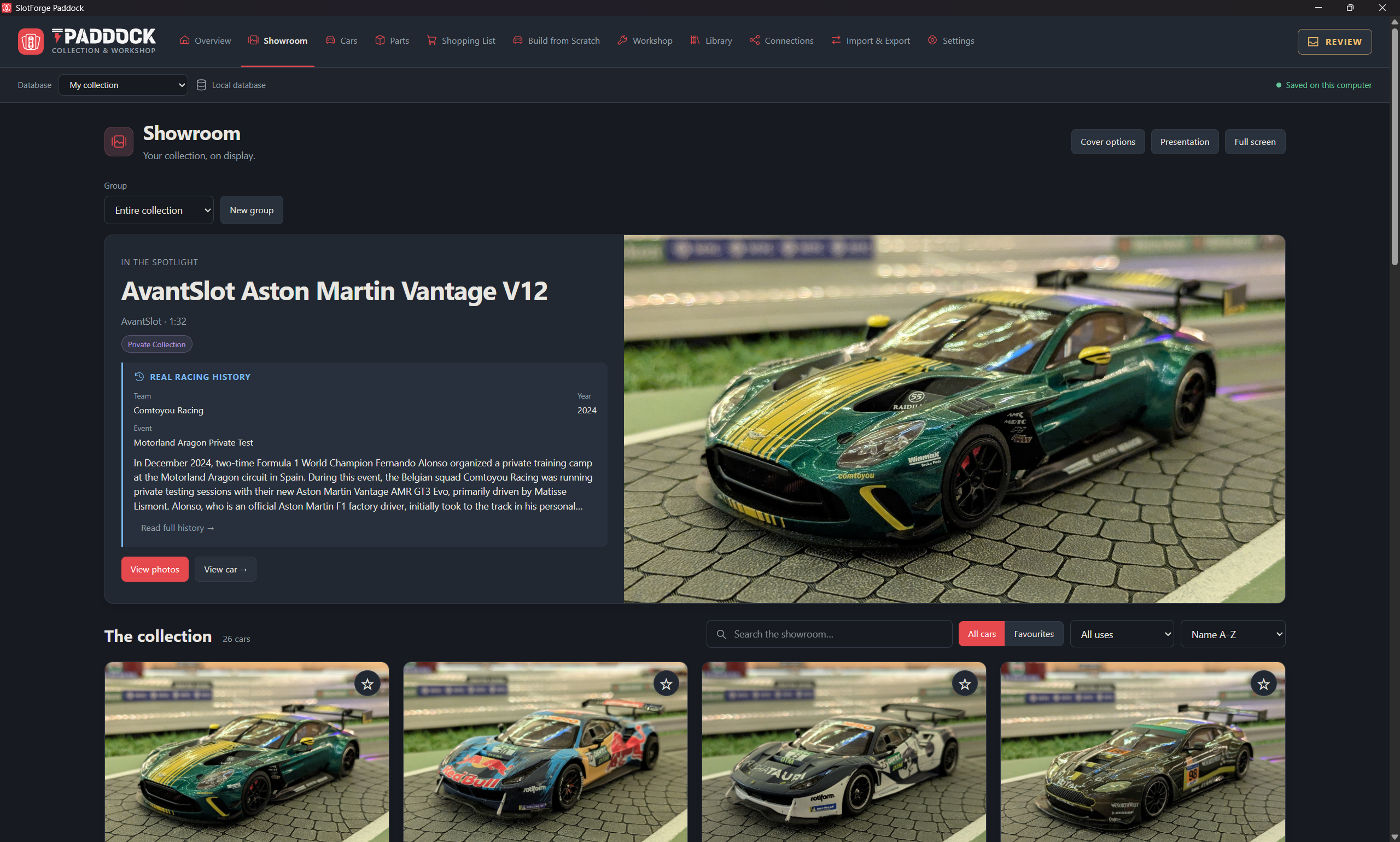
Your favourite cars, presented the way they deserve.
Choose a topic. Open a feature to see how it works.
Give every car a place, a photograph and a story.
Put your favourite cars, cover photographs and real racing history on display, with a fixed favourite or an automatically changing selection.
Create ordered groups and run a presentation with selected labels, shuffled cars, photographs or racing history.
Keep manufacturer, model, scale, race number and class alongside condition, location, packaging, ownership and valuation.
Build a gallery for each car, attach documents and choose photograph focal points while keeping the originals.
Keep future purchases separate, then move a car into your collection with its information, photographs and history intact.
Compare car specifications, gearing and custom fields, with optional recorded configurations to put measured pace in context.
Find what you need and keep the details that matter to you.
Browse photographs or a detailed table, then search, filter and sort your collection to find the cars you need.
Add text, choice, number, date, checkbox or notes fields. Choose columns and save useful views for later.
Reuse manufacturers, classes and other library entries, and merge duplicate values to keep your collection consistent.
Record the full-size car’s team, drivers, event, year and results, with sources and reference photographs separate from your model photos.
Export an exact-product template for your own AI, then review sourced factory specifications before importing them. Your modifications stay separate.
Export car cards, setup sheets, scrutineering and inventory reports as PDFs, with purchase information included only when you choose.
Know what you own, what is fitted and what to buy next.
Keep owned parts separate from catalogue references, with quantities, individual items, specifications, compatibility and photographs.
Track storage locations and whether parts are available, fitted to a car or held in an assembly.
Collect stock parts and free-text purchases, change quantities, move items between lists and optionally add completed purchases to stock.
Keep purchase orders, receipts, corrections and supplier history, with estimates tracked in their own currencies.
Combine researched catalogue files into one review, resolve duplicates and add references without increasing your owned stock.
Review researched image suggestions before replacing selected pictures, and keep manufacturer or supplier links close to parts and shopping lists.
Turn a box of parts into your next race-ready car.
Choose stock or catalogue components on an exploded car diagram, including bodywork, electronics, magnets and ballast.
Save unfinished plans without consuming stock, review what is missing and send requirements to a shopping list.
Build reusable component groups, then install, remove, transfer or replace them while keeping their history.
Reuse suitable parts, return unused parts to stock and link a rebuilt car to its archived predecessor.
Save factory and current setups, inspect differences and review substitutions or stock transfers before applying changes.
Explore ratio, axle RPM, rollout and theoretical speed, with supported torque, driving-force and ideal motor-power calculations.
Keep jobs, supplies and service history together.
Plan maintenance, upgrades, rebuilds, chassis, tyre, motor or bodywork jobs with priorities and due dates.
Break work into steps, add instructions and before/after photographs, then pause, resume, complete or cancel the job.
Link required purchases to the shopping list so unfinished jobs retain the parts they still need.
Record work already carried out and set the next service date to create an upcoming maintenance reminder.
Organise tools, oils, adhesives and consumables with locations, remaining quantities and low-stock information.
Keep PDFs, exploded views and reference images in a searchable workshop library or attach them to a particular car.
Connect each result to the car and setup behind it.
Record test results with the track, lane, driver, voltage, direction and magnet conditions, plus the car configuration used.
Receive finalised Timing results with the race-time configuration, including supported corrections and withdrawn results.
Compare average or median pace, consistency and the best five- or ten-lap runs alongside setup differences and test conditions.
Review measured lap history and lane records while keeping manually entered tests separate from recorded timing results.
Make supported car configurations available to Timing, and let Telemetry read recorded results for further analysis.
Use the supported same-computer Paddock and Timing library workflow under one operating-system account, with car information and history retained.
Exchange cars with other collectors and protect your own collection.
Export selected cars with their main photograph and optional extra photos or setups. Private purchase details and workshop information stay out of public car exports.
Import shared car files and choose which information to accept, including the supported Timing car format.
Scan a QR code on a phone or tablet on the same network to add a car or upload photographs to an existing one.
Share an official collection between trusted home or club computers, with review for important changes while the host stays running.
Choose the fields, photographs, setups and history to retain, and keep retired records archived rather than silently losing their past.
Back up and restore the complete collection for recovery or moving computers, including private data that is excluded from shared car files.
Try another word or choose a topic to keep exploring.
Ready-made parts lists for Paddock: over 3,400 parts and workshop supplies from 3 brands, sorted by category. Import them once and pick parts from a list instead of typing every one in.
1,237 entries
1,401 entries
814 entries
Product details and indicative prices come from public sources and have not been independently checked. A few entries use a product type Paddock doesn’t support yet: set their type in the import review before selecting them.
Free, with no account or sign-up. Choose your operating system; downloads come directly from the official GitHub release.
v1.7.2 · Released 17 Nov 2026
Choose the installer for regular use, or the portable app to run it without installing. Keep the portable app in a permanent folder.
If Windows shows “Windows protected your PC”, choose More info and then Run anyway. This appears for new apps that are not yet widely downloaded.
Choose the build matching your Mac, open the DMG and drag the app to Applications.
If macOS says the app can’t be opened, open System Settings → Privacy & Security, scroll down and choose Open Anyway. You only need to do this once.
Choose a package matching your processor. Open the DEB with your package installer, or allow the AppImage to execute before opening it.
For an AppImage, allow it to run as a program first: right-click → Properties → Permissions, or chmod +x in a terminal.
Choose a package, follow the guide and make it yours.
Your collection lives locally in your user profile, separately from the app. Use complete backups to move it; copying the executable does not copy your collection.
Back up your data, close the app and follow the update instructions for your platform. Read the release notes before replacing an installation.
Installation and update guidance ↗Read the Paddock documentation, or report your operating system, app version and the steps that caused the issue.
Report a Paddock issue ↗